How to Build a No-Code Chatbot: A Practical First Workflow
Updated November 2026. This is a practical, platform-neutral guide. Menu names, available channels and prices differ between chatbot builders and can change; verify the provider’s current documentation before connecting a real customer account.
A no-code chatbot is useful when it helps someone complete a specific task: find an answer, request a quote, book a conversation or reach a person. It is not a substitute for customer support, and a visual builder alone will not increase sales. Start with one small workflow you can test end to end.
1. Choose one task and one channel
Write down the user’s question, the answer or action they need, and where the conversation should end. For example: “A visitor asks about a consultation, chooses a topic, leaves a preferred contact method and receives a clear handoff to a team member.” Avoid building a large sales funnel before this path works.
Choose the channel your audience actually uses. Telegram, website chat and other messengers have different setup and messaging rules. If you choose Telegram, its official tutorial explains how a bot is registered with BotFather and why the token must be protected. For an API-based Telegram implementation, see my separate Telegram bot setup guide.
2. Compare builders against the task
Make a short requirements list before signing up: channel support, visual flow editor, human inbox, team access, consent controls, integrations, export options and total monthly cost. A provider’s feature list is a starting point, not proof that a feature works for your plan or channel. My documentation-based SmartSender overview is one example of how to check advertised features and limits without presenting marketing claims as tested results.
3. Map the first conversation on paper
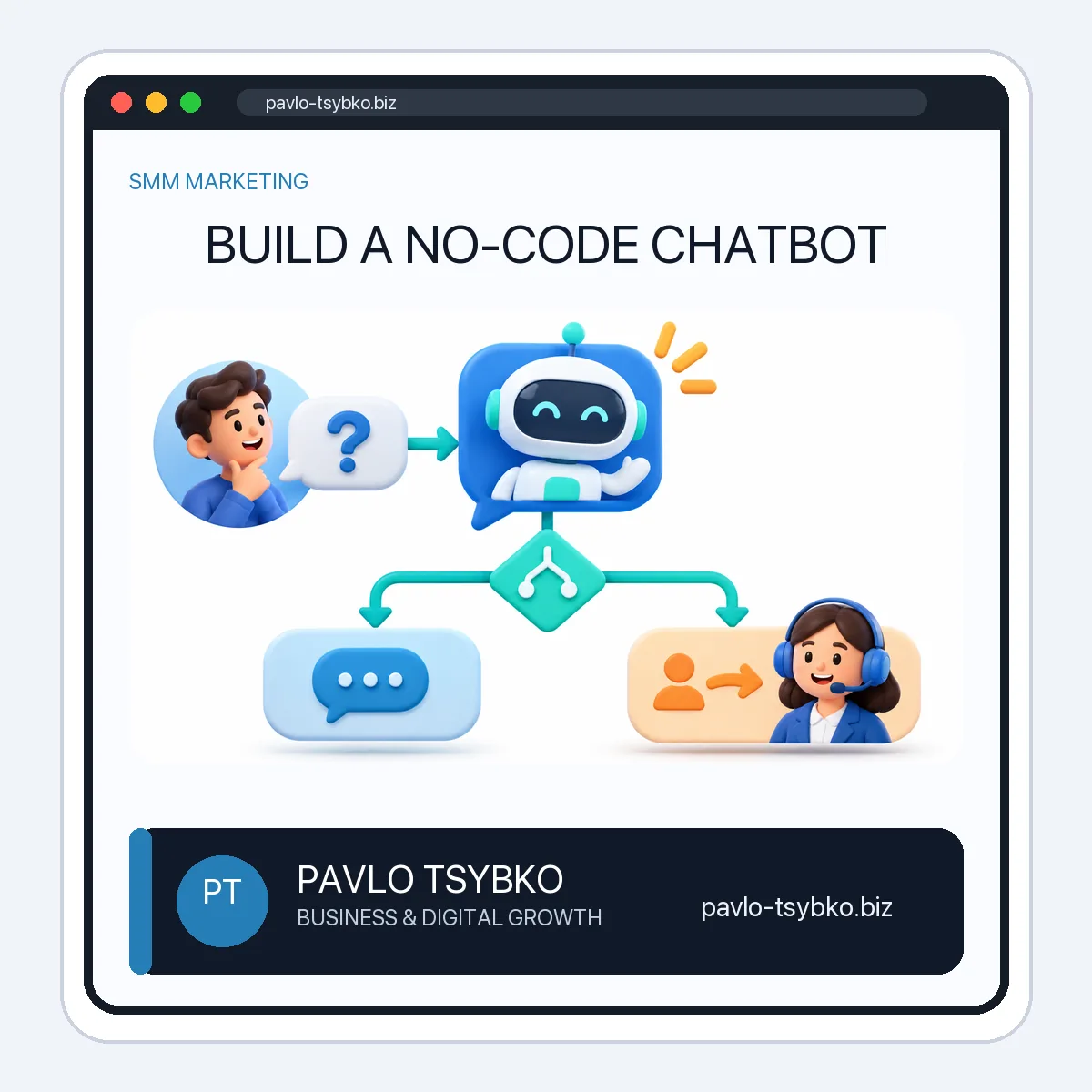
Use a small decision tree before opening the editor:
- Start: explain what the bot can help with and offer two or three clear choices.
- Answer: provide a concise, accurate response for each choice.
- Unknown input: acknowledge that the bot did not understand and offer the menu or a person.
- Handoff: collect only the information needed to follow up, and say when a person can respond.
- End: confirm what happened and what the user should expect next.
For a consultation bot, the first version may need only “Services,” “Prices,” and “Talk to a person.” If prices depend on scope, say so rather than inventing a fixed quote.
4. Build the flow and connect the channel
Create a project in your chosen builder, add the welcome message, connect the choice buttons to answer blocks, then add a fallback and human-support route. Connect your channel using the provider’s current instructions. Store credentials as secrets; never place a bot token in a public page, screenshot, shared document or source repository. Give team members only the access they need.
If you use SmartSender, its official lesson library documents channel connections, default replies, flow components and live-chat handoff. This article is not a claim that every feature is included in every plan. Check the actual account before promising an integration to a client.
5. Add consent and a human escape route
Do not treat one conversation as permission to send unlimited promotions. Explain what information you collect and why. Ask for appropriate consent before optional marketing messages, provide a way to stop them and respect the messaging channel’s rules. Telegram’s spam guidance warns about unwanted messages. When the bot cannot solve the issue, make it easy to reach a person instead of looping through the same answers.
6. Test before inviting customers
Use a fresh account and run each branch. Test an unexpected question, a missing answer, a request for a person, duplicate submissions and a customer who stops midway. Check notifications on the staff side, not just what the customer sees. Ask a colleague who did not build the flow to complete the task without help. Fix points of confusion before publishing the bot link.
7. Measure the task, then improve one thing
Track a few useful signals: started conversations, completed tasks, unanswered questions, human handoffs and time to first human response. Do not label every bot start a “lead” or infer sales from message counts. Review real unanswered questions regularly, update the content and re-test after each change. A short, reliable flow is more valuable than an elaborate one nobody can maintain.
When a no-code builder is not enough
A builder may be a poor fit if you need unusual backend logic, strict control over customer data, complex permissions or integrations it cannot support reliably. A custom bot can offer more control but requires development, hosting, monitoring and maintenance. Compare the complete operating cost, not just the subscription. For Telegram-specific free and paid paths, see Can You Build a Telegram Bot for Free?.
Practical next step: write one customer question and the desired handoff, then build and test that single flow. If you need help designing the workflow as part of a wider digital system, learn about my current work and send me the task you want the bot to solve.